

Onboard a repo
Register a repository for agent tasks. By default, onboarding also creates a resident: an always-warm environment with its checkout and dependencies ready.
You need:
- A resident Worker (Deploy), the block below, and
RESIDENT_OPERATOR_TOKEN+RESIDENT_ADMIN_TOKENin the bot's environment; without them therepocommands do not exist. - The
repo:writegrant; nobody holds it by default (Restrict who can do what). - The repository inside the resident Worker's GitHub App installation; others are refused by name.
execution:
  resident:
    baseUrl: https://switchboard-resident.example.com
Onboard
@switchboard repo onboard acme/api --ref main --install "npm ci" --test "npm test" --build "npm run build"Omit --install, --test or --build and Switchboard detects them from the lockfile and package.json, saying what it chose. The command returns at once; provisioning continues in the background.
Register without a resident
@switchboard repo onboard acme/api --no-residentThe default ref is main. Command flags are optional: Switchboard detects them from the repo root. Without a root package.json, there is no install step; absent build/test scripts are stored as true, a command that does nothing. If detection fails, the reply warns that npm defaults were saved.
This saves the repository and command table immediately. It starts no resident, creates no snapshot or refresh schedule, and uses no resident capacity. Coding and review tasks naming the repo run in per-thread sandboxes; an explicit task branch wins over the registered default ref. Dependencies are prepared during the task rather than kept warm.
repo list and the Repositories page show these registrations as cold. Warm residents are highlighted. Quiet chat commands show a short bullet outcome with a run link; the run record retains the detailed receipt. The same GitHub App membership and repo:write checks apply. The resident Worker's registry and credentials are still required for registration.
repo reconfigure edits the saved commands or ref. repo offboard removes only the registration. To give it a resident later, offboard the cold registration and onboard it again without --no-resident. repo rebuild and deterministic repo test / repo build require a resident. Ready-environment pilot tasks retain their existing warm-environment requirement.
Watch it come up
@switchboard repo listThe lifecycle runs onboarding → warm; a second reply arrives at warm, or with a reason if it failed. The dashboard shows the same (Dashboard routes).
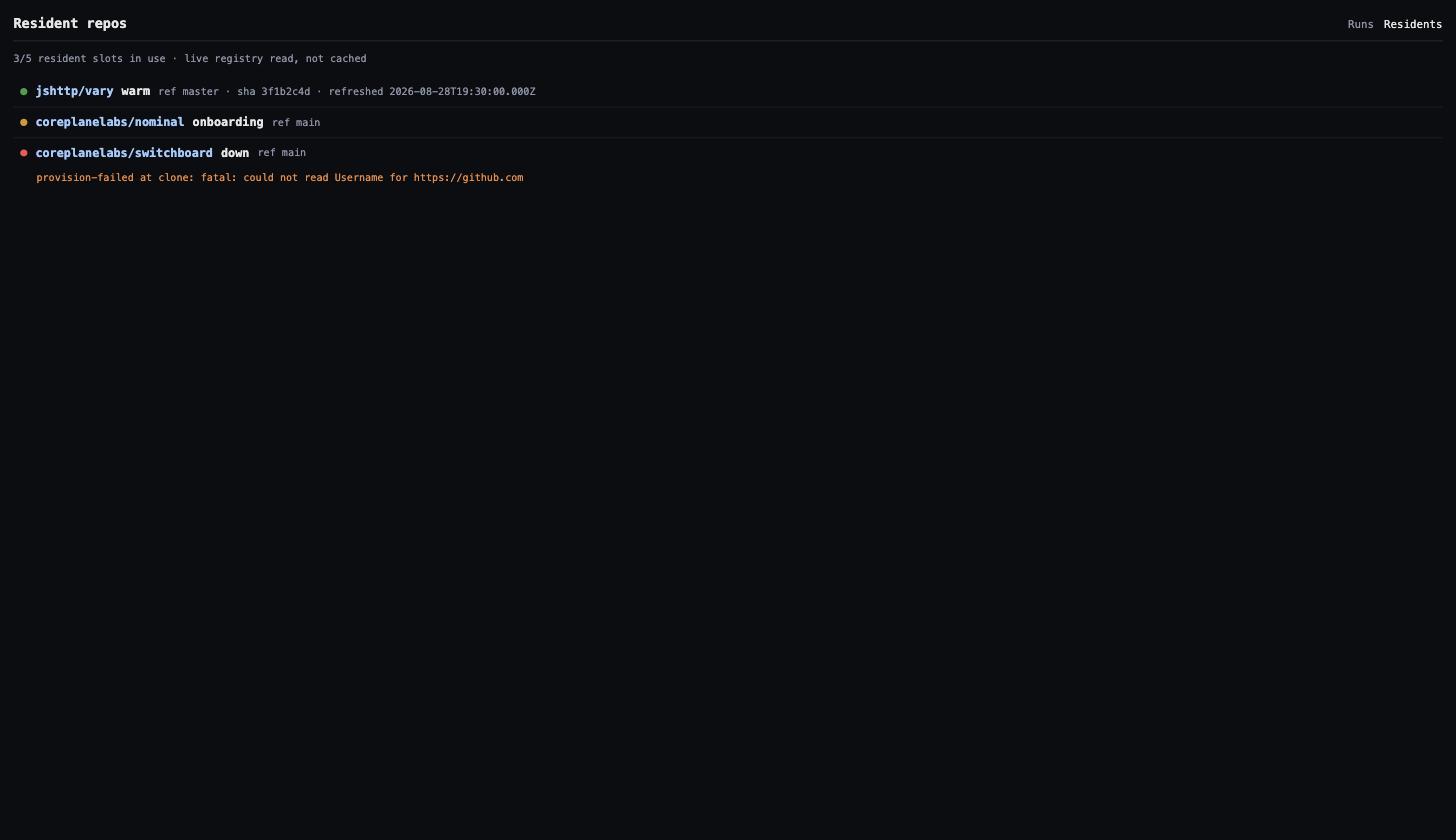
Use it
Ask as before: any coding or review request naming the repository (owner/name, GitHub URL or PR link) runs in the resident. The status card shows the binding: resident · acme/api · main@….
Change or remove it
@switchboard repo reconfigure acme/api --test "npm run test:unit"
@switchboard repo offboard acme/api --dry-run     # itemized plan only
@switchboard repo offboard acme/api               # tear it down
@switchboard repo rebuild acme/api                # reprovision from scratch
Run --dry-run before anything destructive.
Several warm residents
Request a fixed warm count for an existing resident-enabled repository:
@switchboard repo reconfigure acme/api --warm-residents 3The response shows the requested count and the registered count. New members reserve capacity immediately and activate during the next deployment maintenance reconciliation. The fleet cap includes pending and retained addresses. This request alone does not prove that the new members are warm; check each member in repo list or the Repositories page after reconciliation.
New threads spread across serving members. Existing threads, resumed runs and cancellation keep their original member. A lower count stops new placement on excess members but preserves their work and reservations. Offboarding the repository removes all its members after confirmed cleanup.
For a pool, choose the member to rebuild from the number shown in the list:
@switchboard repo rebuild acme/api --resident 2 --dry-runRebuild and full reset require that member number when more than one member exists. Repository command settings remain shared.
To inspect the workload slots on one active member, use its listed number:
@switchboard repo workload acme/api --resident 2Without --resident, the command reads the primary. A pending member has no workload to inspect. The report distinguishes a complete count from unknown owner evidence and does not release work.
Disk
The gauge is on every surface: repo list appends · disk 4.06 GiB/14.4 GiB (28%), the residents index shows it per row, the detail page has a Disk section.
| State | Meaning | Remedy |
|---|---|---|
disk-pressure on a status card | A new thread would not fit; the request ran in a cold sandbox, the resident stays warm | Fewer concurrent branches with divergent lockfiles, or a larger container |
degraded with disk-full: … on the dashboard | The disk filled; requests run cold until the container restarts and restores its snapshot | Refills within the hour: the working set no longer fits. Resize, or offboard a repository |
Next
- Resident contract: the eviction rules.
- Capacity and sizing: why disk sizes the container.
- Authorization:
repo:writeversusrestrict.repos.