

Skip to content

Switchboard · open-source agent gateway

Your agents,
one mention away.

Say what you want in Slack, the CLI, HTTP or MCP. The right agent picks it up, on the model you choose.

npx @coreplane/switchboard init
Screenshot of a run page on the dashboard: a timeline of the run's steps with their durations.

The run page: the model turns, the tool calls, the reply — every step timed.

Every run, accounted for. Live and finished, with the agent, the duration and a stop button.

Watch a run →
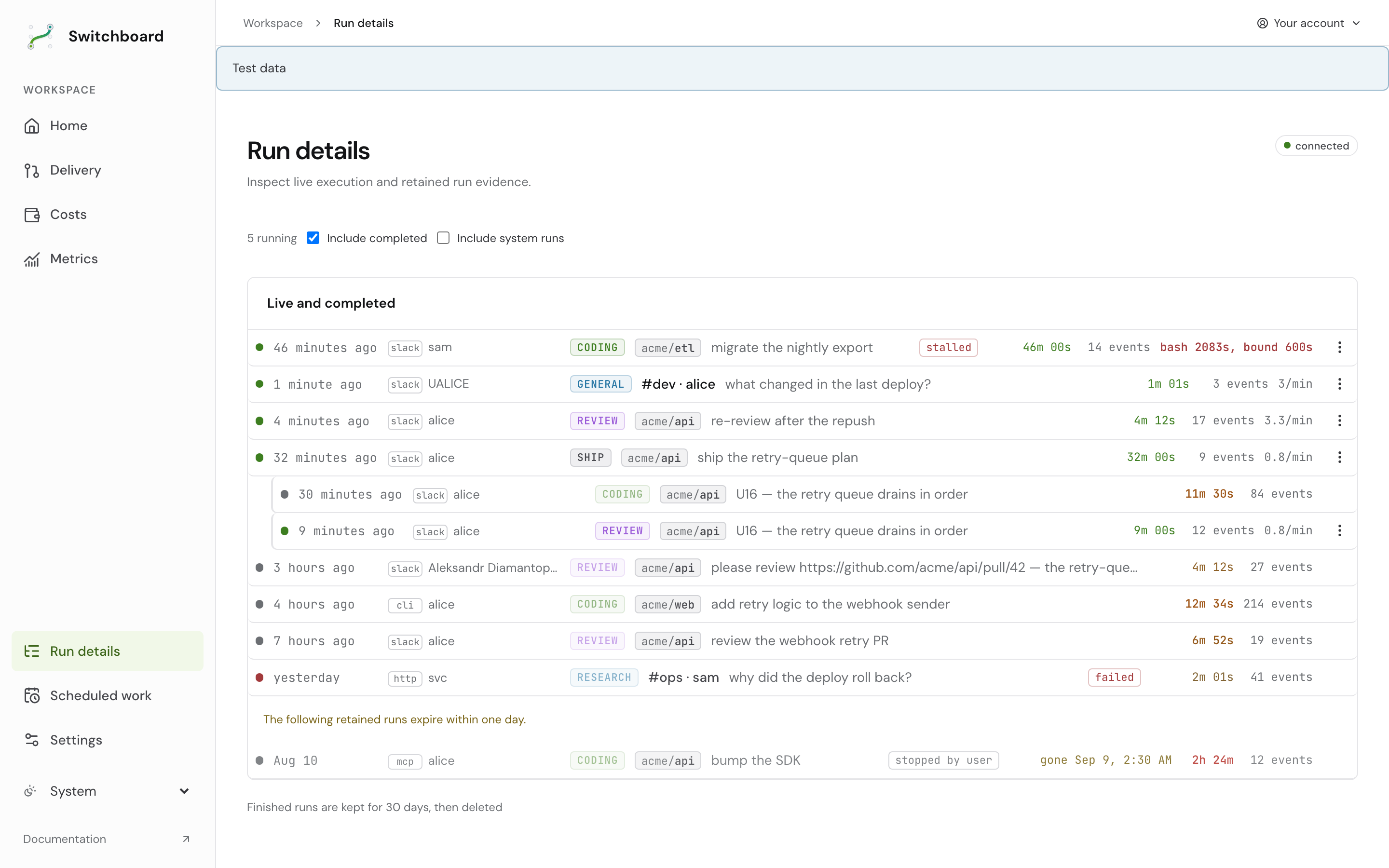
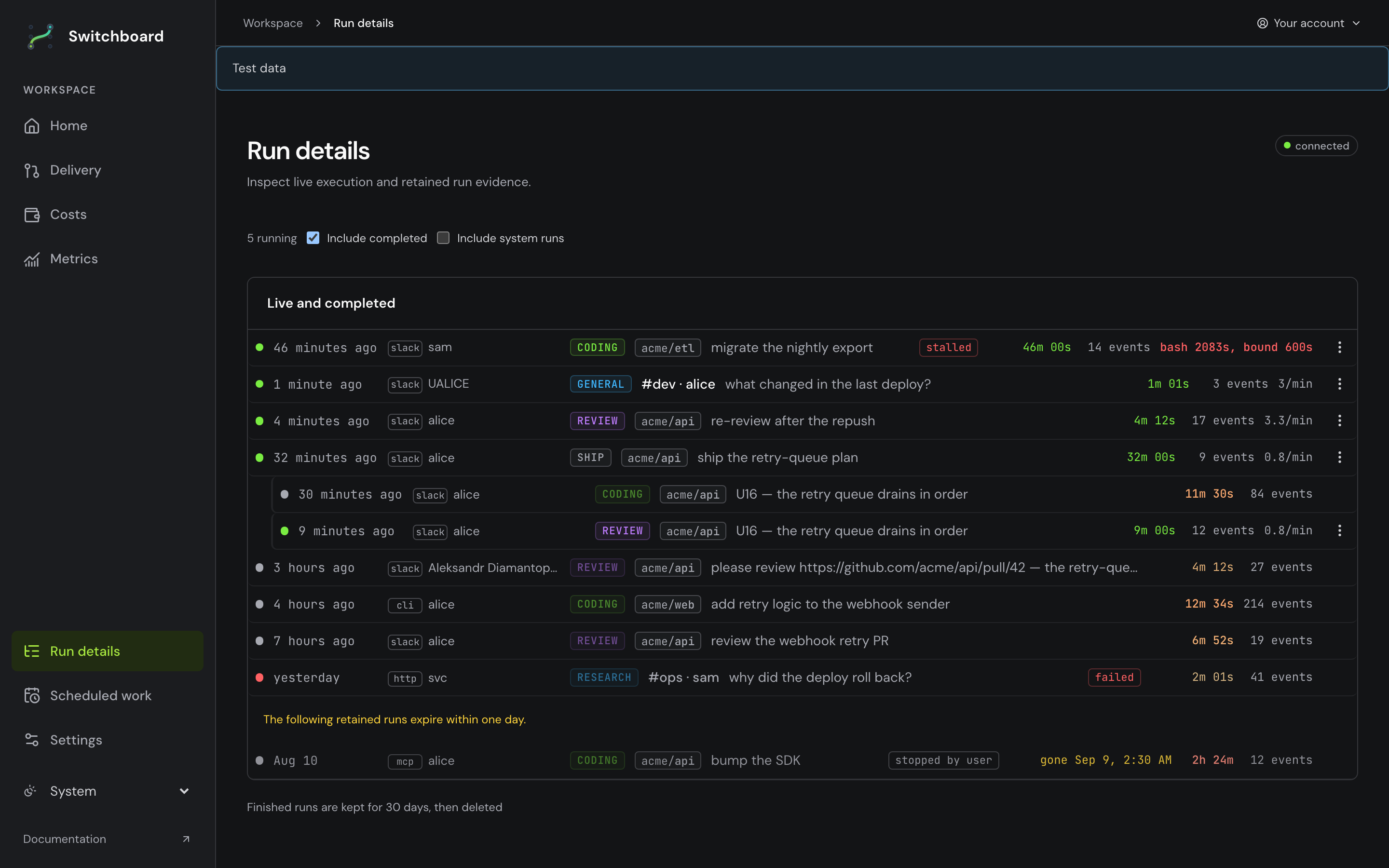
Screenshot of the runs index on the dashboard: live runs with their agent, duration and stop controls, then finished ones.Screenshot of the runs index on the dashboard: live runs with their agent, duration and stop controls, then finished ones.

Repos kept warm. Onboard a repository once; every thread works in a checkout that is already there.

Onboard a repo →
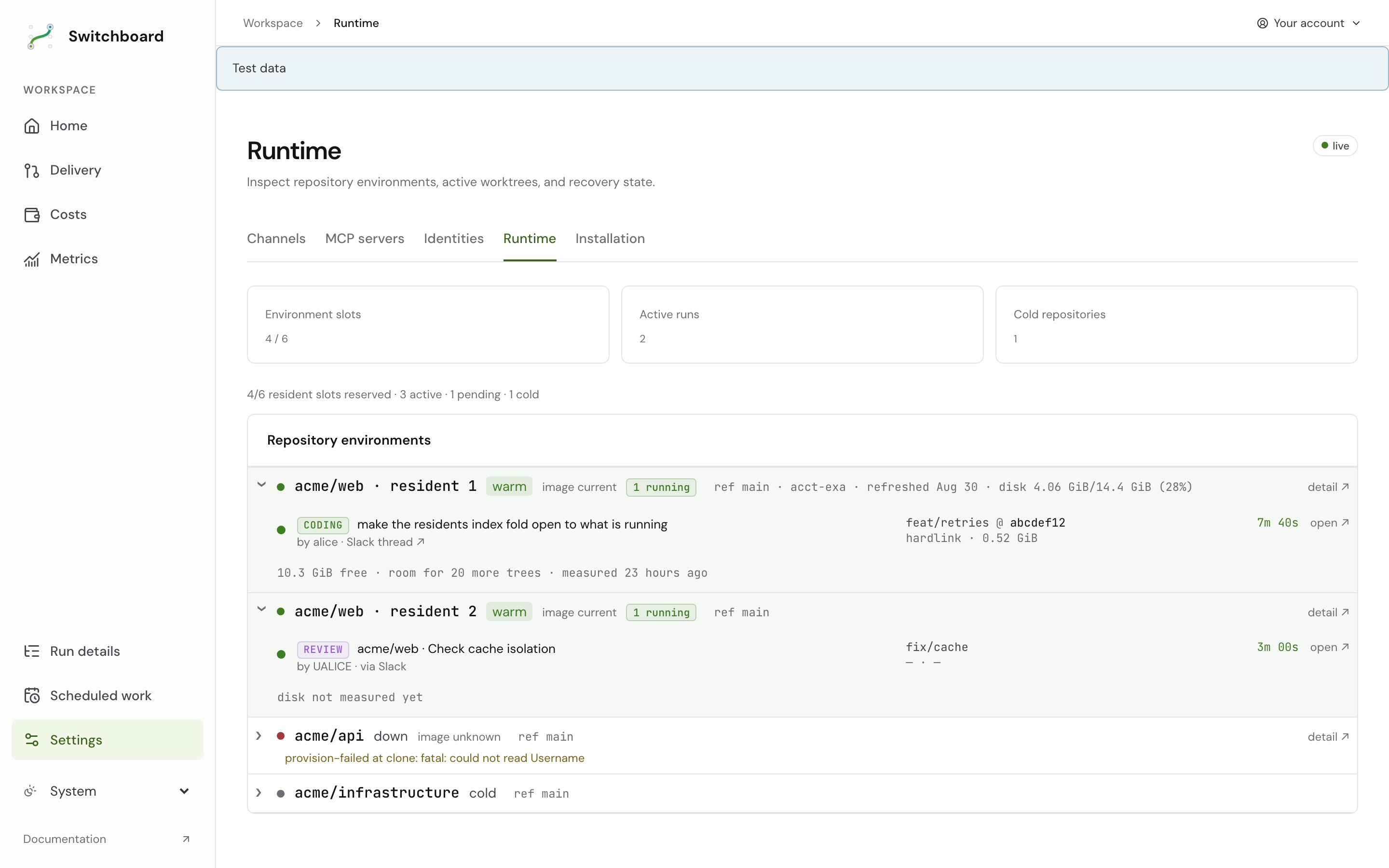
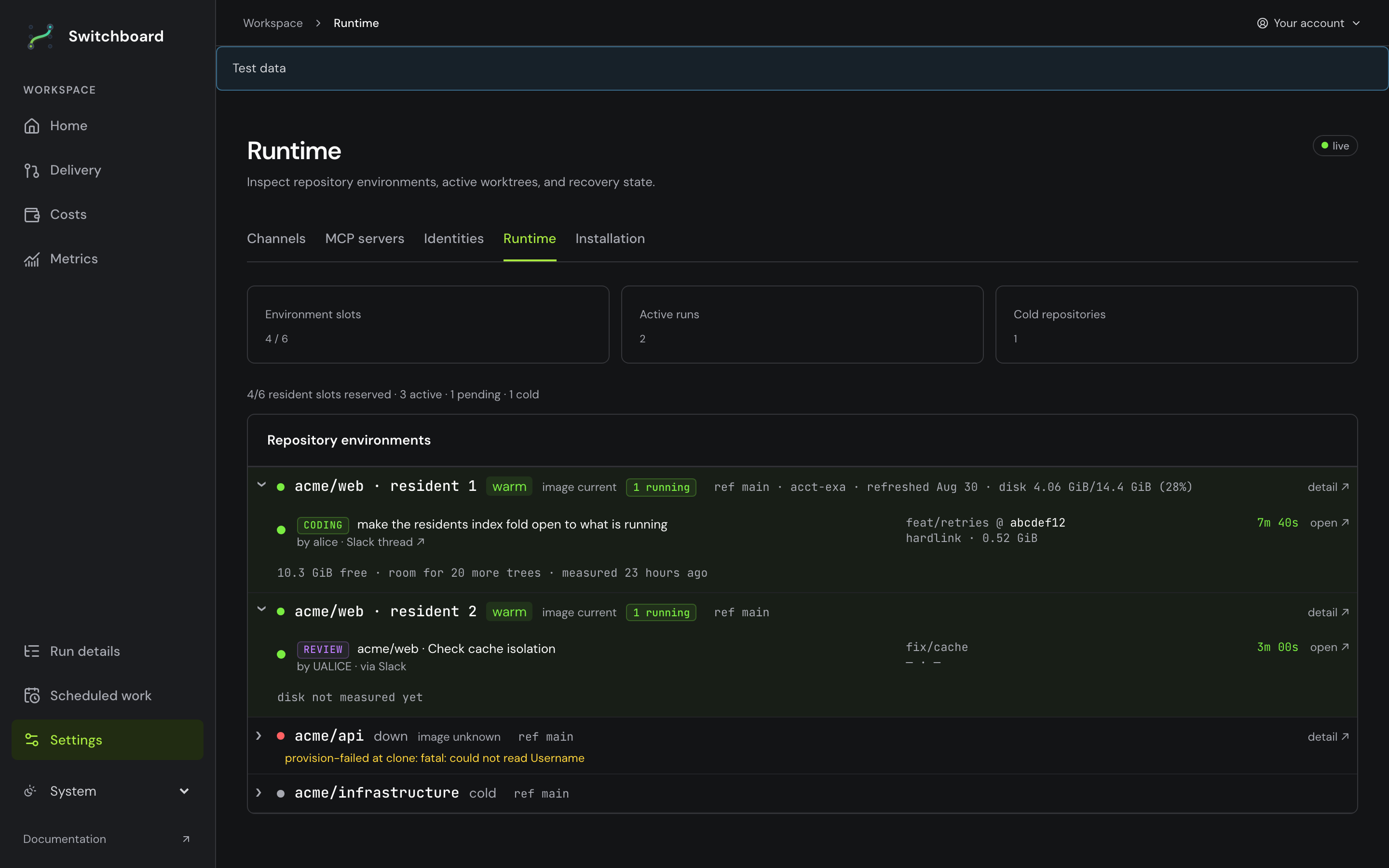
Screenshot of the residents page on the dashboard: one row per onboarded repository with its state.Screenshot of the residents page on the dashboard: one row per onboarded repository with its state.

Spend you can see. Per agent, per model, per day — on the dashboard, not the invoice.

Check spend →
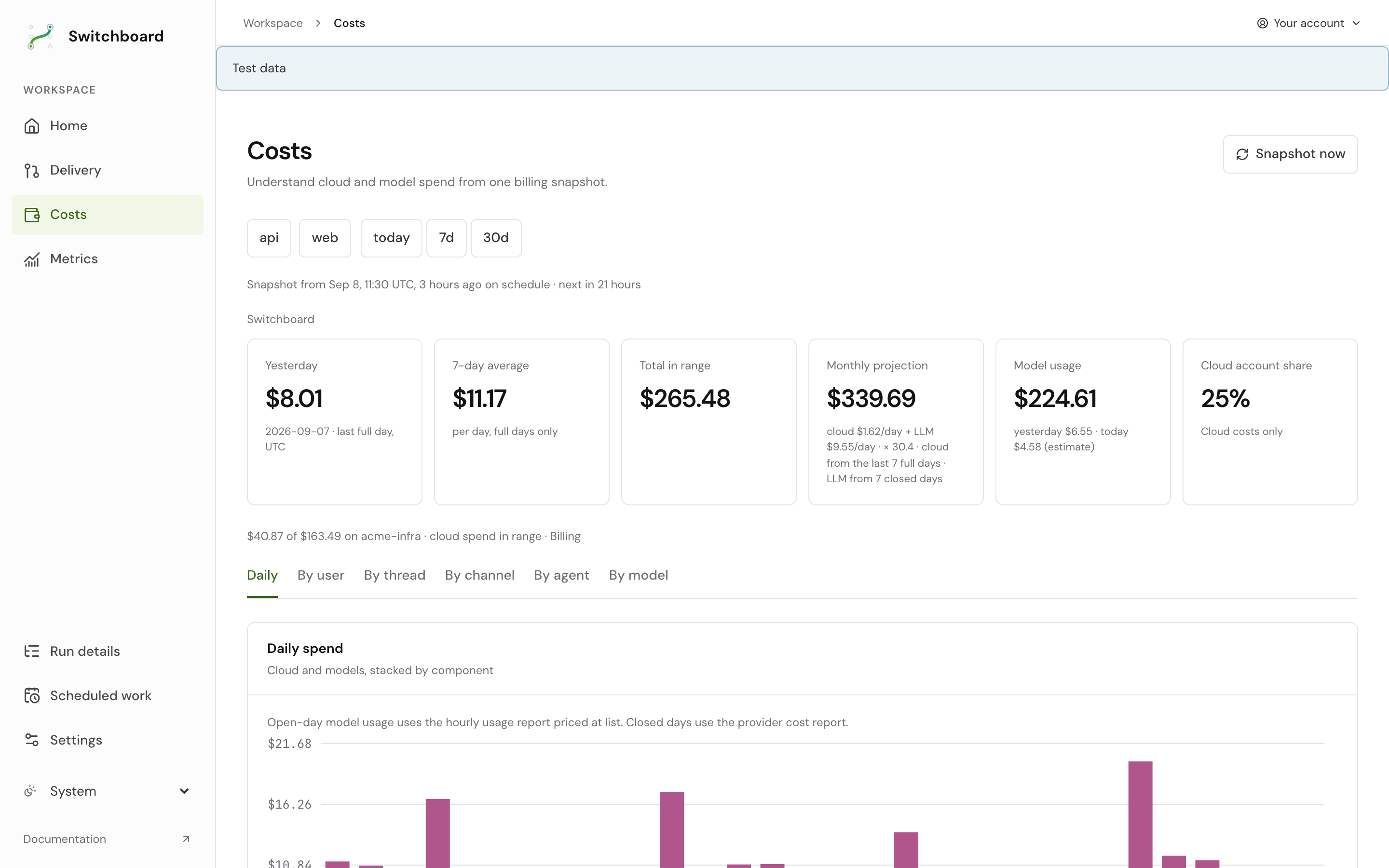
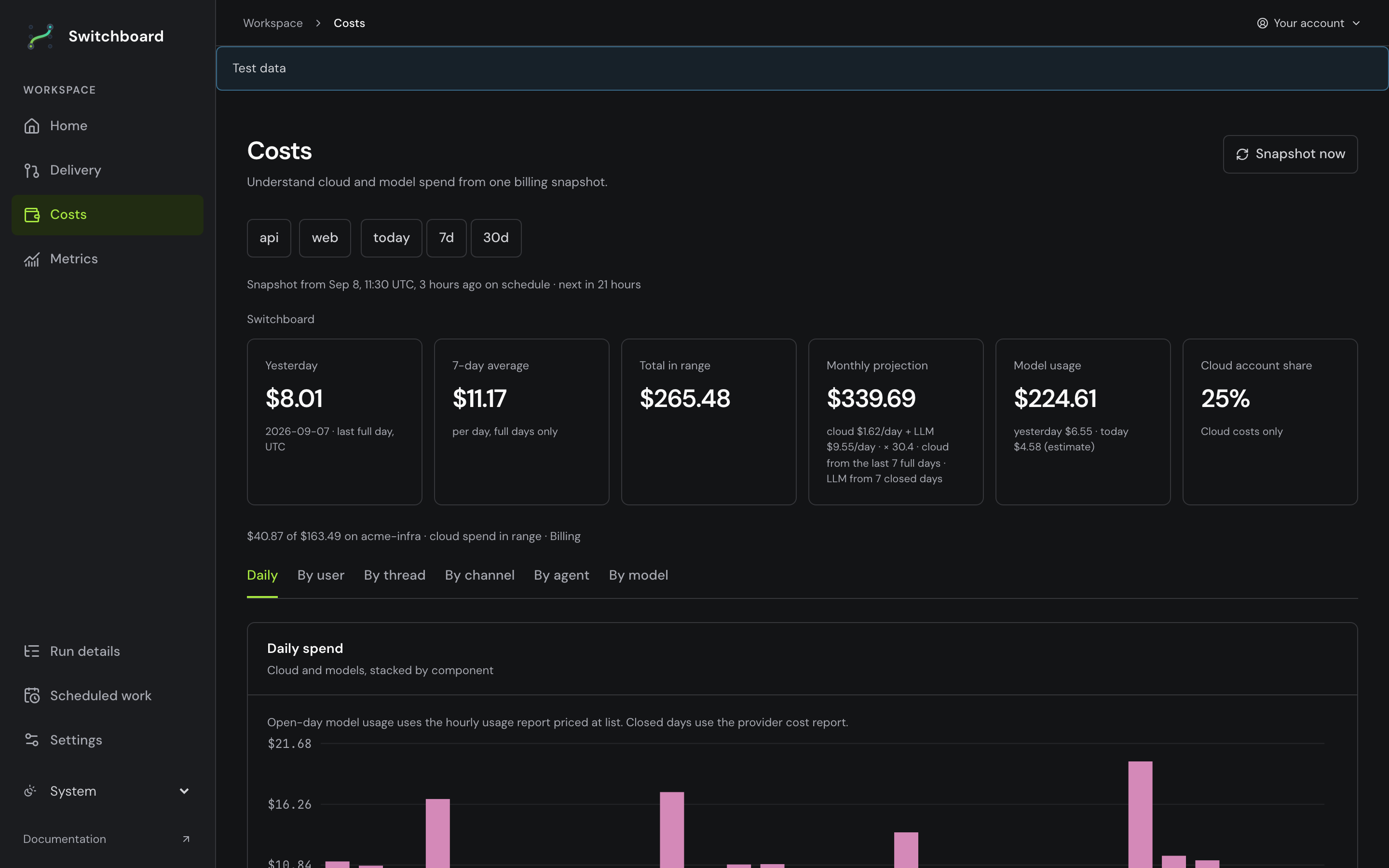
Screenshot of the costs page on the dashboard: spend by agent, by model and by day.Screenshot of the costs page on the dashboard: spend by agent, by model and by day.

Just ask. The card names the agent it picked and why, fills in as it works, and the reply lands beneath it.

Your first request →
npx @coreplane/switchboard initnpx @coreplane/switchboard ask "what can you do?"npx @coreplane/switchboard deploy all

Terminal, Slack, production — the same pipeline.

Switchboard docs ​

Switchboard is an agent gateway: you say what you want over Slack, the CLI, HTTP or MCP, and the agent it picks answers the question, reviews the pull request, or ships the code. Read this tree here or at switchboard.space.

Pick your surface ​

New here? Use an existing deployment if your team already runs Switchboard, or Get started to set up your own.

You are…Start withThen
joining an existing deploymentUse an existing deploymentYour first request in Slack
trying more requests in SlackYour first request in SlackConfigure your defaults
running it in productionDeployOperate production
watching runs or spendWatch a runCheck spend
locking it downRestrict who can do whatSecurity model
changing the codeRun it locallyHow a request flows

A plain sentence is the whole interface. Commands and directives are there for whoever wants to type them: Slack commands.

Four kinds of page ​

The tree follows Diataxis: four jobs, never mixed on one page.

KindAnswersIndex
Tutorials"Walk me through it"tutorials/
How-to guides"How do I do X?"how-to/
Reference"What is the exact syntax, value, default?"reference/
Explanation"Why does it work this way?"explanation/

Where the ground truth lives ​

reference/vocabulary.md is the product's words: the twelve nouns every surface prints, one meaning each — read it before the code map.

For the system picture, start with Architecture, Data model and What an agent is.

For long-running work, read How agents keep context and the Context lifecycle. Their diagrams cover research, verified phase notes, focused child context, recall and source access.

reference/specs/ is the contract: one file per feature, every criterion bound to a test or a procedure. When a page here disagrees with a spec, the spec is right.

README.md is the front door; AGENTS.md is for whoever changes Switchboard.